Templates
Choose a built-in sheet, or describe the one you need.
58 built-in templates. Last-used is remembered for Clinical consult and for Meeting & other. Describe a sheet in plain English and approve what Tell OLI proposes.
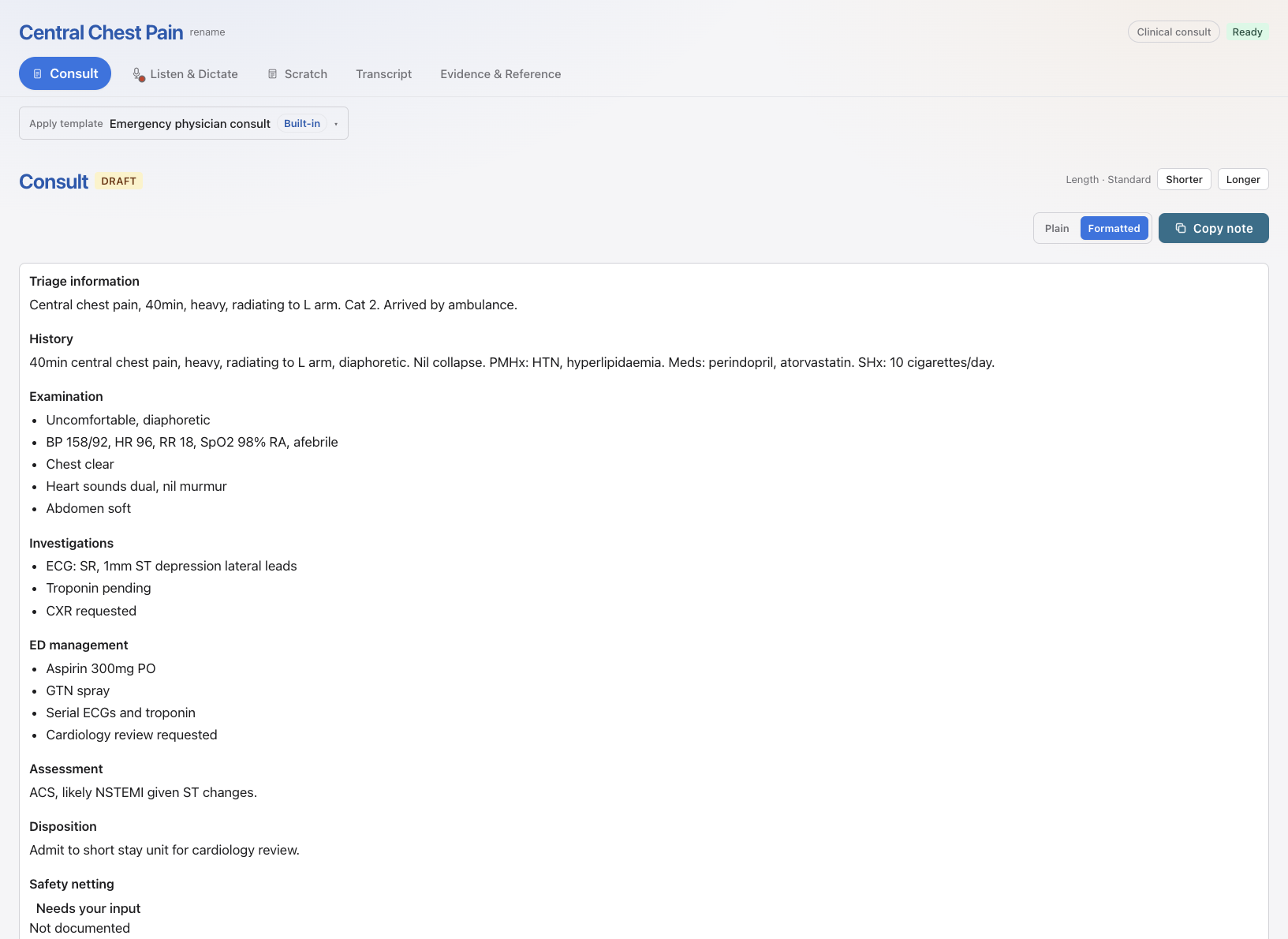
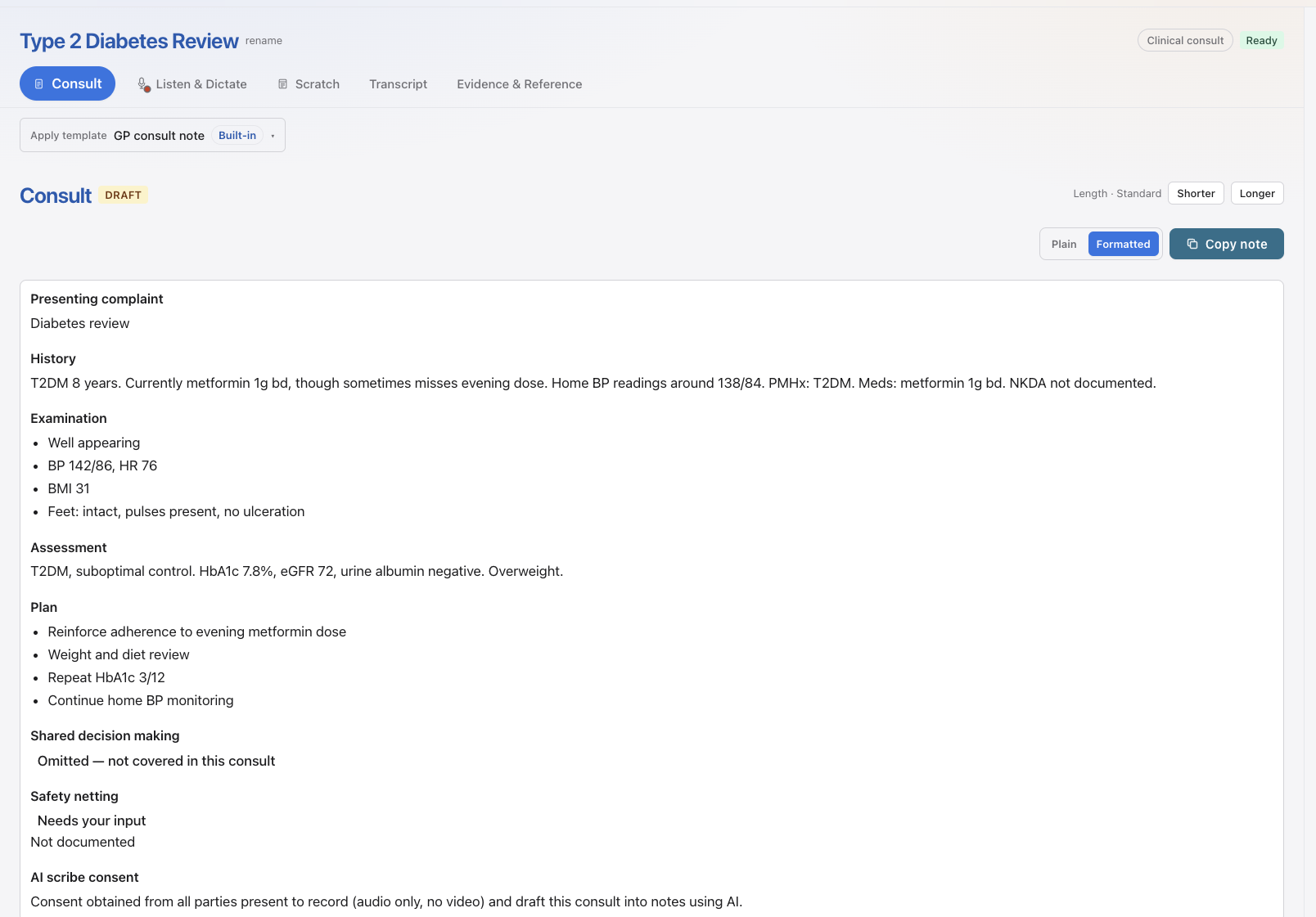
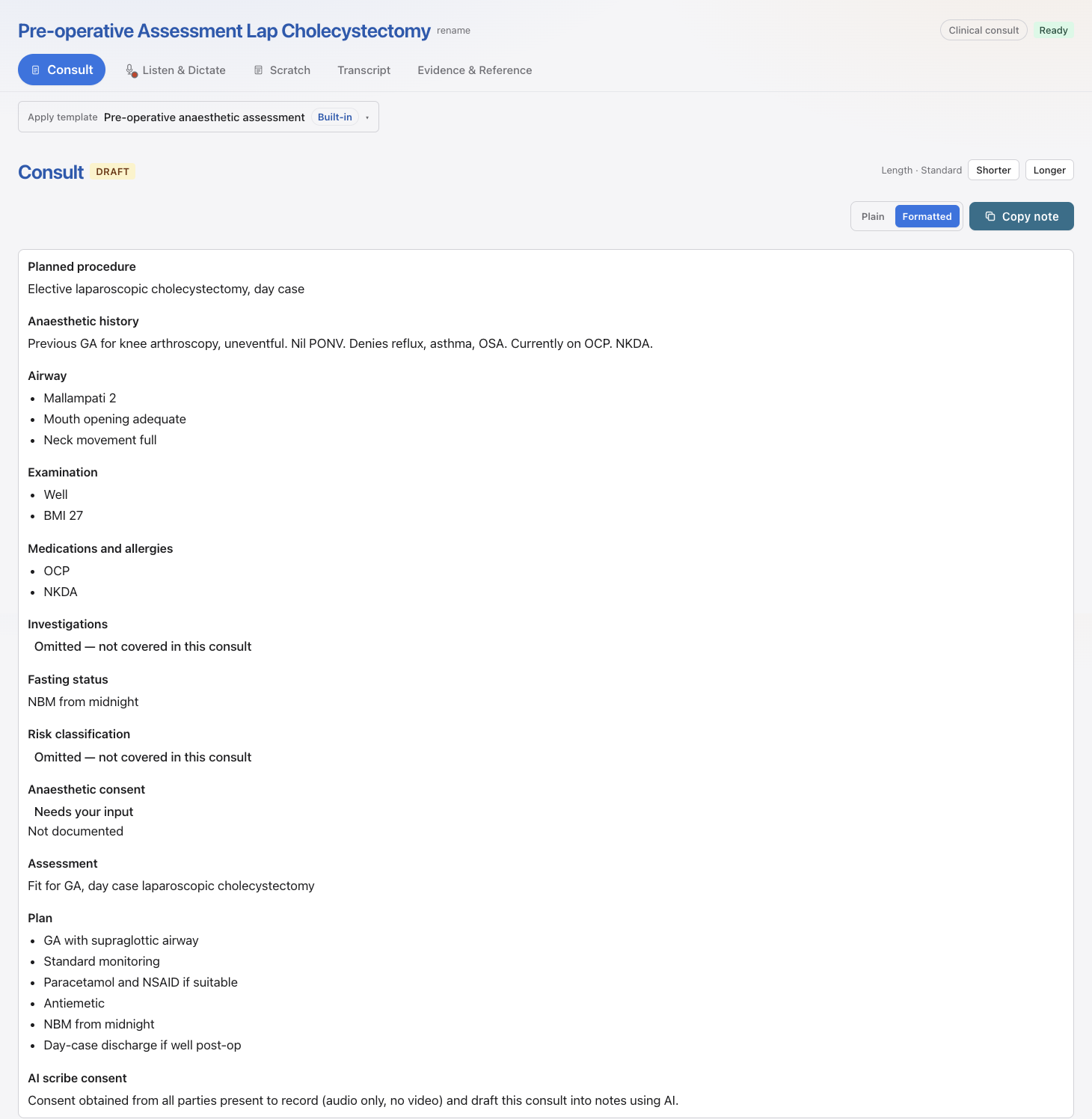
The scribe drafts a note you review. A required section the consult never supported says Not documented.
Use a built-in.
On New consult, choose the template. The draft follows that structure. Copy the finished note into the record you already use.
Describe one with Tell OLI.
Say the sections you want. OLI may ask one clarifying round. You approve before it is saved. A proposal that asks the model to find missed diagnoses is blocked.
Ready to finish your notes before you leave clinic?
Create your free account in under a minute — then try a live consult, a 30-second dictation, or our built-in sample consult.