Ask Oli
Published guidance beside the draft.
Ask Oli looks up published criteria while the consult is open. You read the citations and decide what applies. The answer stays in the panel and is not written into the note.
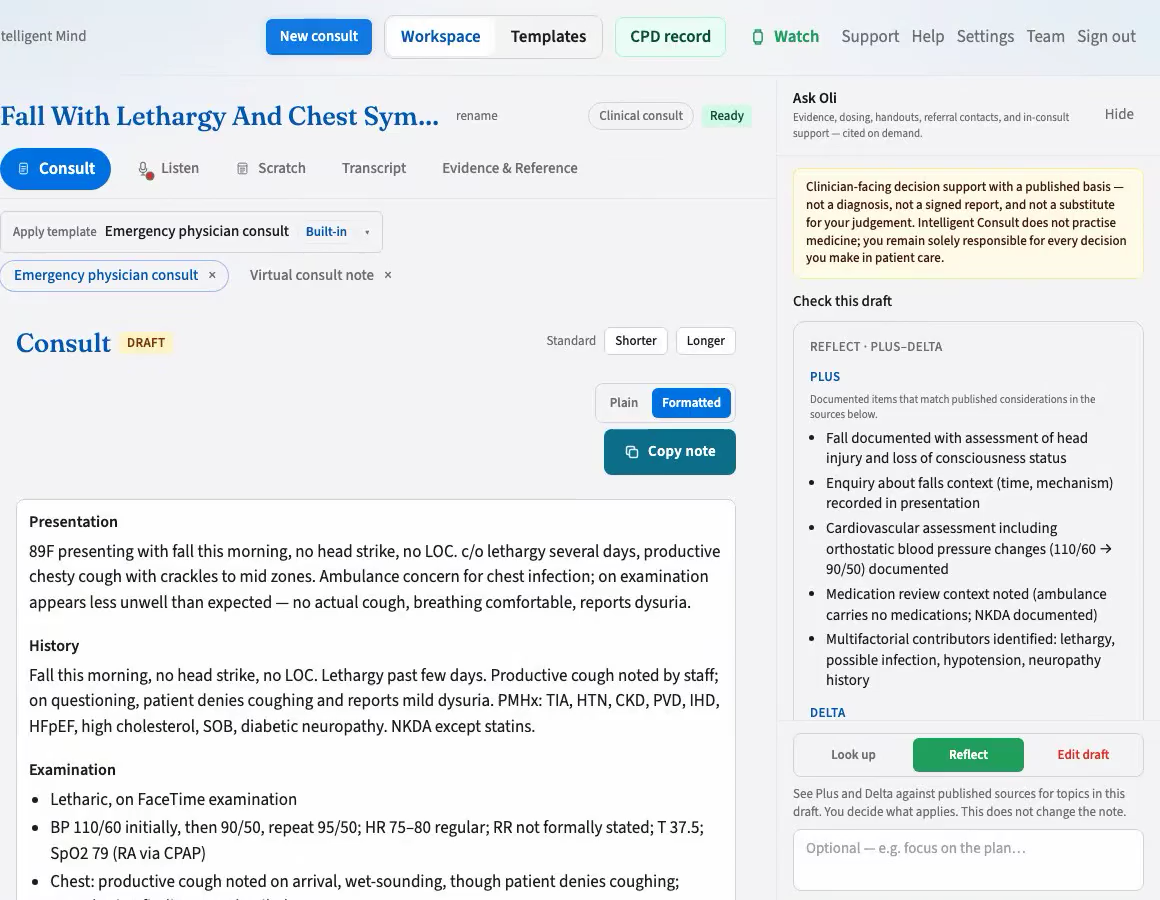
You apply the criteria
Published guidance to support your decisions — not a diagnosis or signed report. It does not replace your clinical judgement; you remain responsible for patient care. We do not claim TGA approval.
- 1
Ask while the draft is open
Type a question in the panel. Concepts already in the note help identify the topic. The question is reduced to a de-identified topic before it is searched. Identifiers are not sent.
- 2
Read the published basis
The answer is published guidance with citations and a list of measurements and thresholds for you to check. A recommendation without a checkable basis is withheld.
- 3
Keep a file on this device
You can keep a tracing or document beside the answer so you can apply the criteria yourself. The file is not uploaded and is not written into the note.
Claude prepares the de-identified topic. Perplexity searches published sources and writes the answer.
Also in the same panel
Dosing reference
Published dosing criteria where your consult jurisdiction allows it. You remain responsible for the dose you choose.
Patient handouts
Published education material you review before you share anything with a patient.
Referrals
A contact directory for services. Verify the details before you rely on them.
A lookup can be entered in your CPD record. Hours are recorded only after you write a reflection. How the CPD record works · The workspace
Look up published guidance beside your next draft.
You apply the criteria. The note remains yours.